The Actionable Inbox for Salesforce

Important work in Salesforce is spread across records, lists, reports, and notifications.

It’s easy to miss follow-ups, lose momentum, or realise too late that something critical was waiting.


Act On It gives teams real-time visibility into what’s happening, what’s waiting, and what’s at risk.


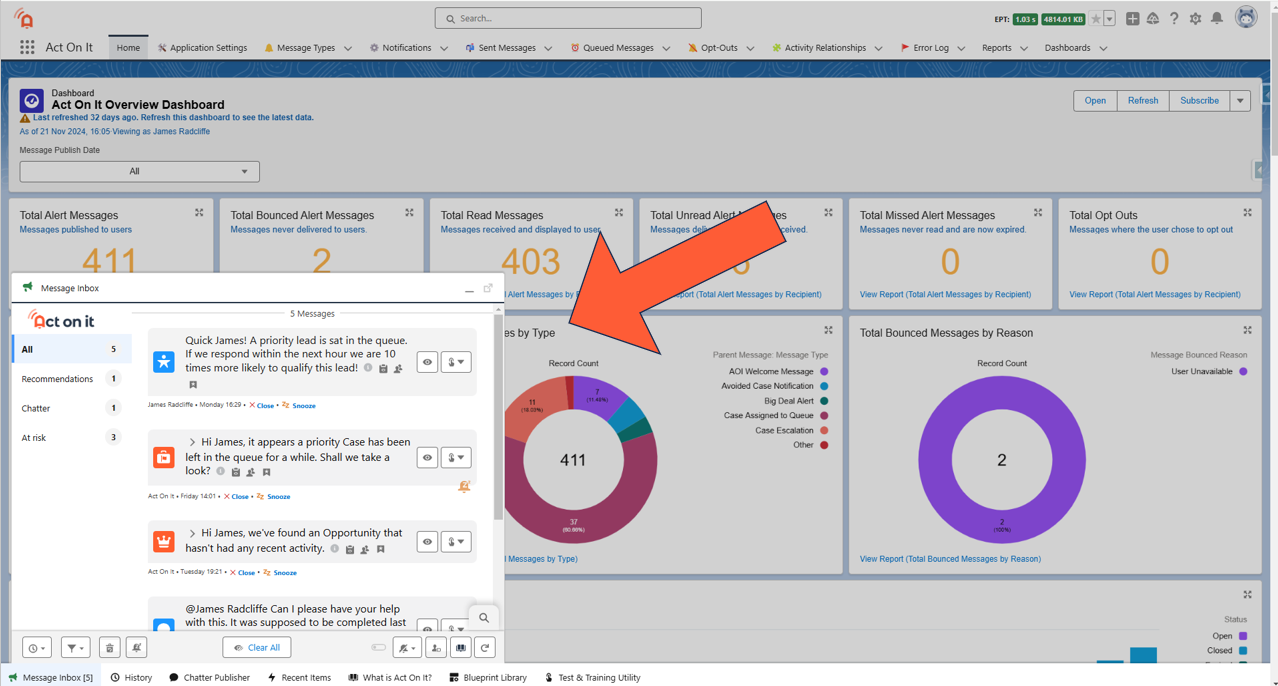
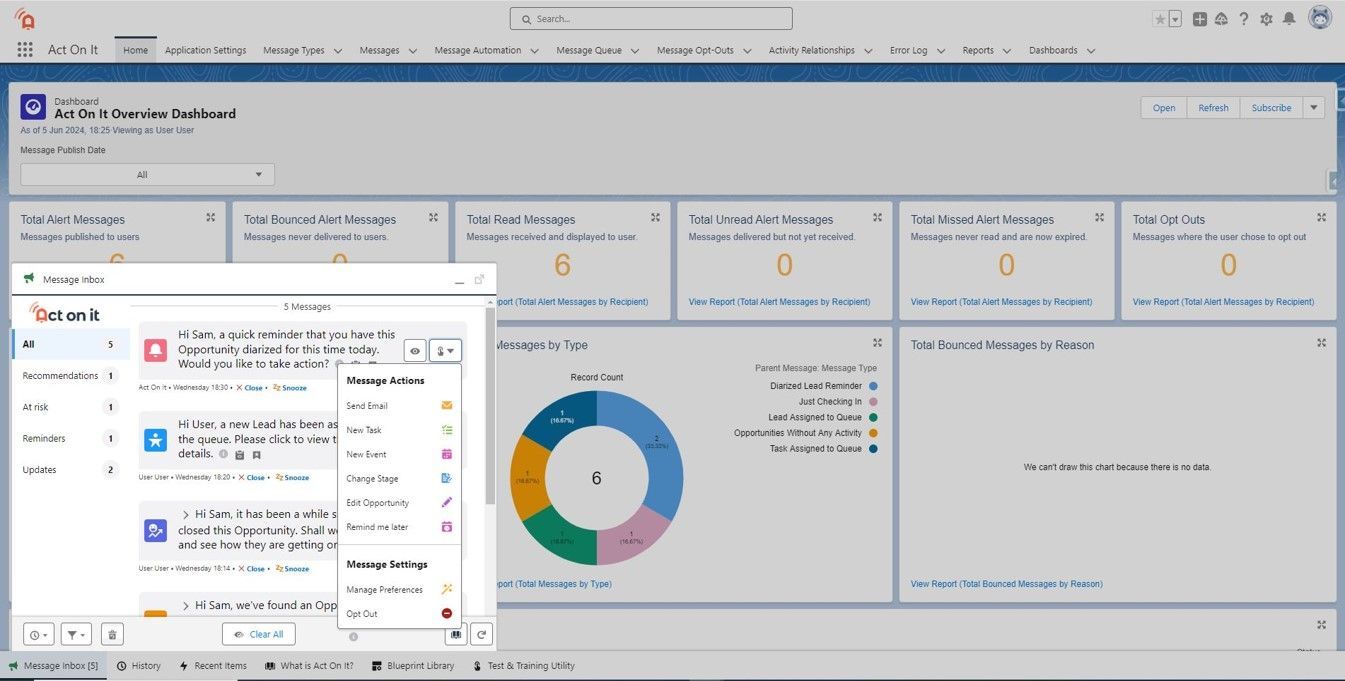
It replaces scattered Salesforce notifications with a single, actionable inbox that shows users exactly what needs attention.


By surfacing the right actions to the right people at the right time, Act On It helps teams respond faster, stay aligned, and meet SLAs without constant checking or chasing.
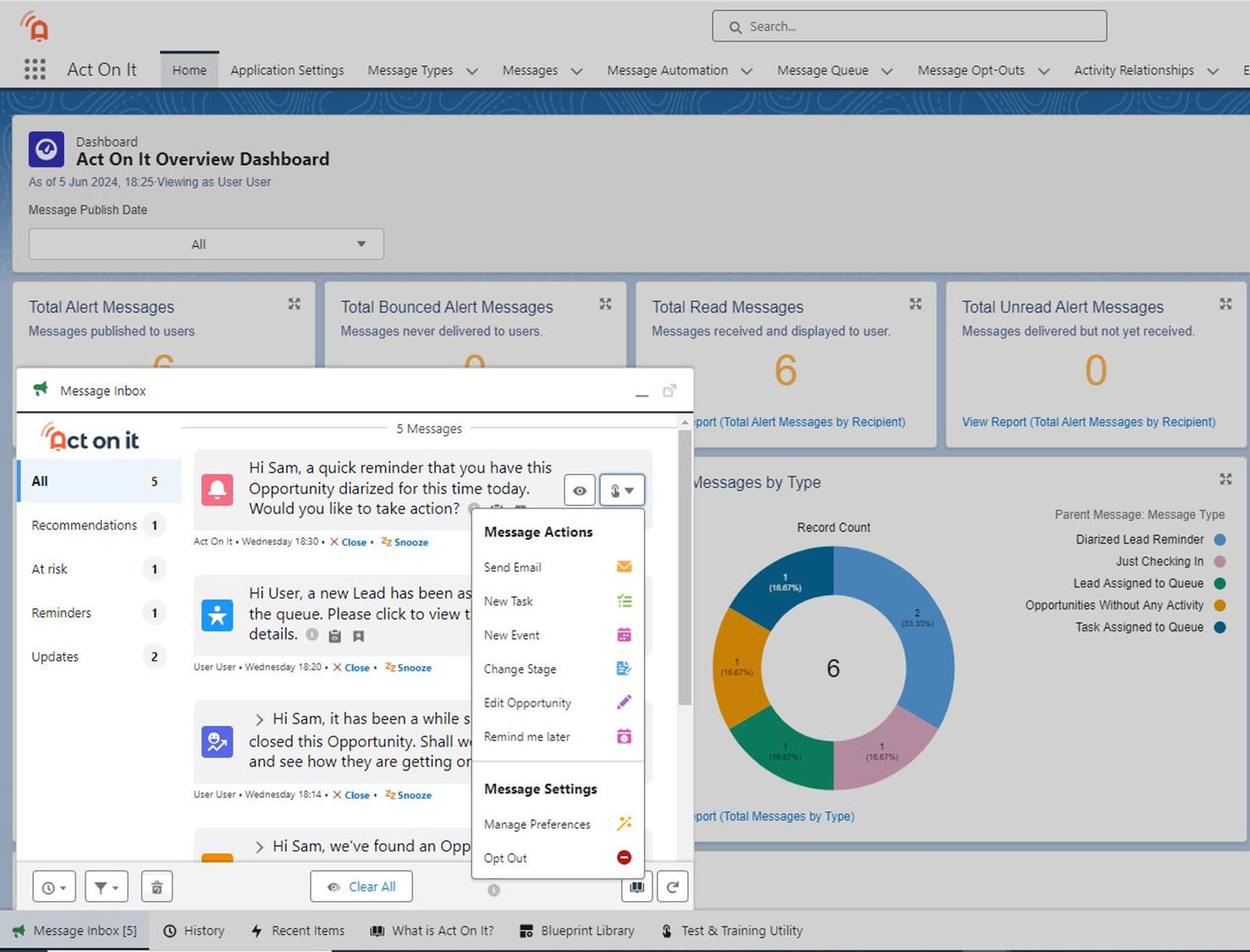


Consolidated pop up push notification inbox.

What is Act On It?

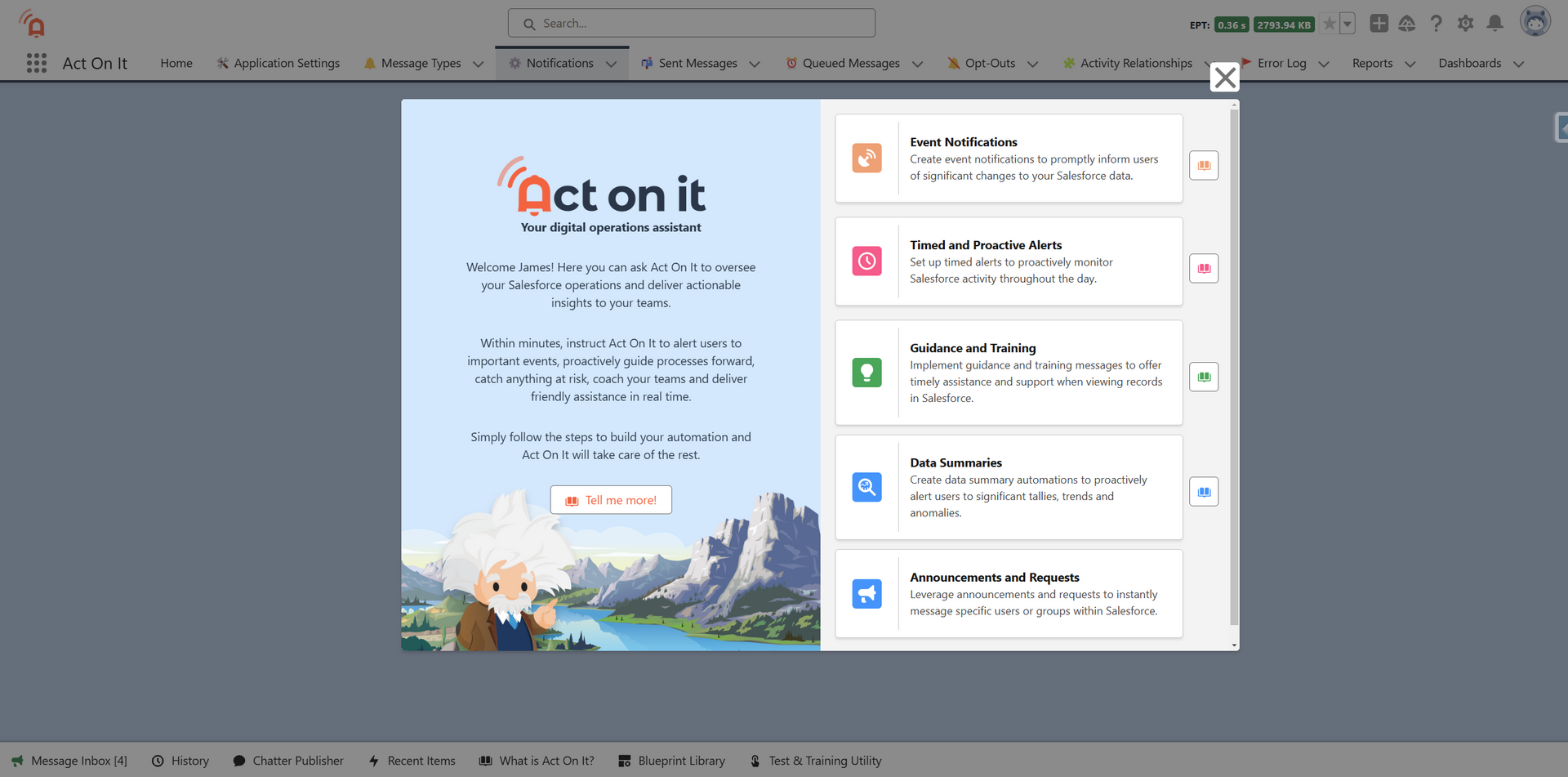
Act On It is a 100% native Salesforce app that gives teams real-time visibility, brings Salesforce work together in one place, and prompts users when attention is needed.


It helps ensure work moves forward consistently ...


Every lead gets instant attention

Approvals flow 
seamlessly

Opportunities 
stay on track

Escalations become predictable


... without constant monitoring or manual follow-up.

How does it work?


Act On It monitors Salesforce in the background and brings attention to the right work at the right time.

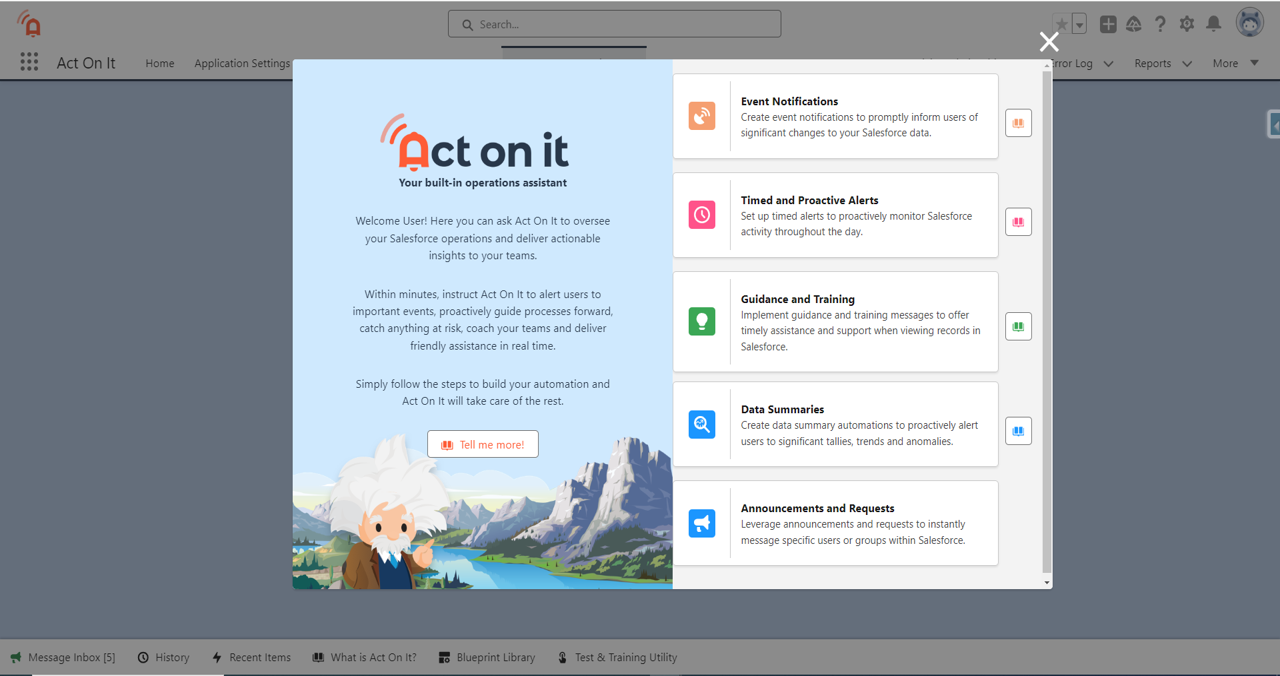
Admins configure what matters, and Act On It takes care of the rest.
  • Slide title

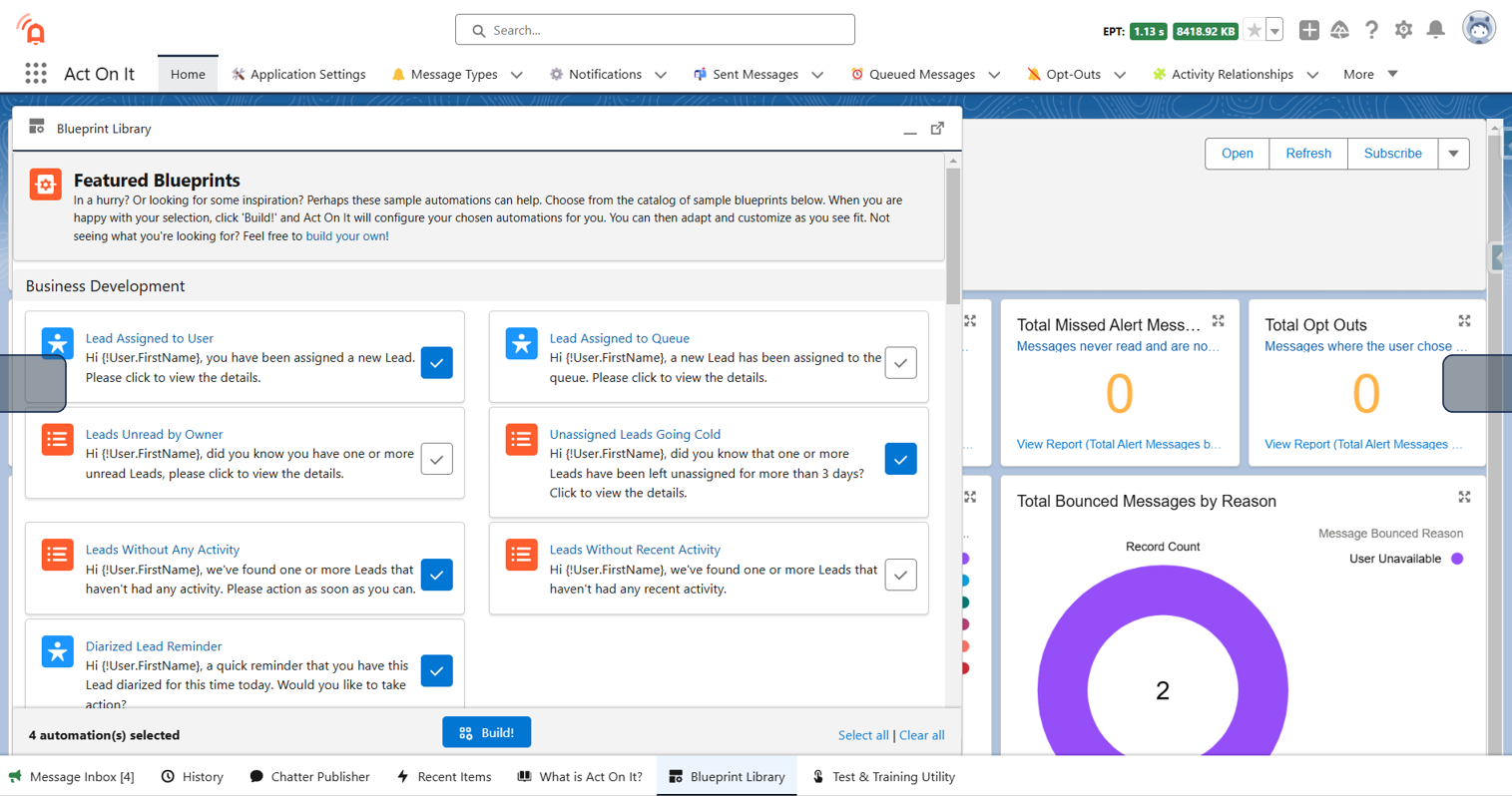
    Get started with built-in patterns

    Act On It includes a library of ready-to-use patterns across sales, service, and operations, which can be customised or extended as needed.

    Button
  • Slide title

    Create your own

    Configure your own within minutes. No code, and no in-depth technical knowledge required.

    Button
  • Slide title

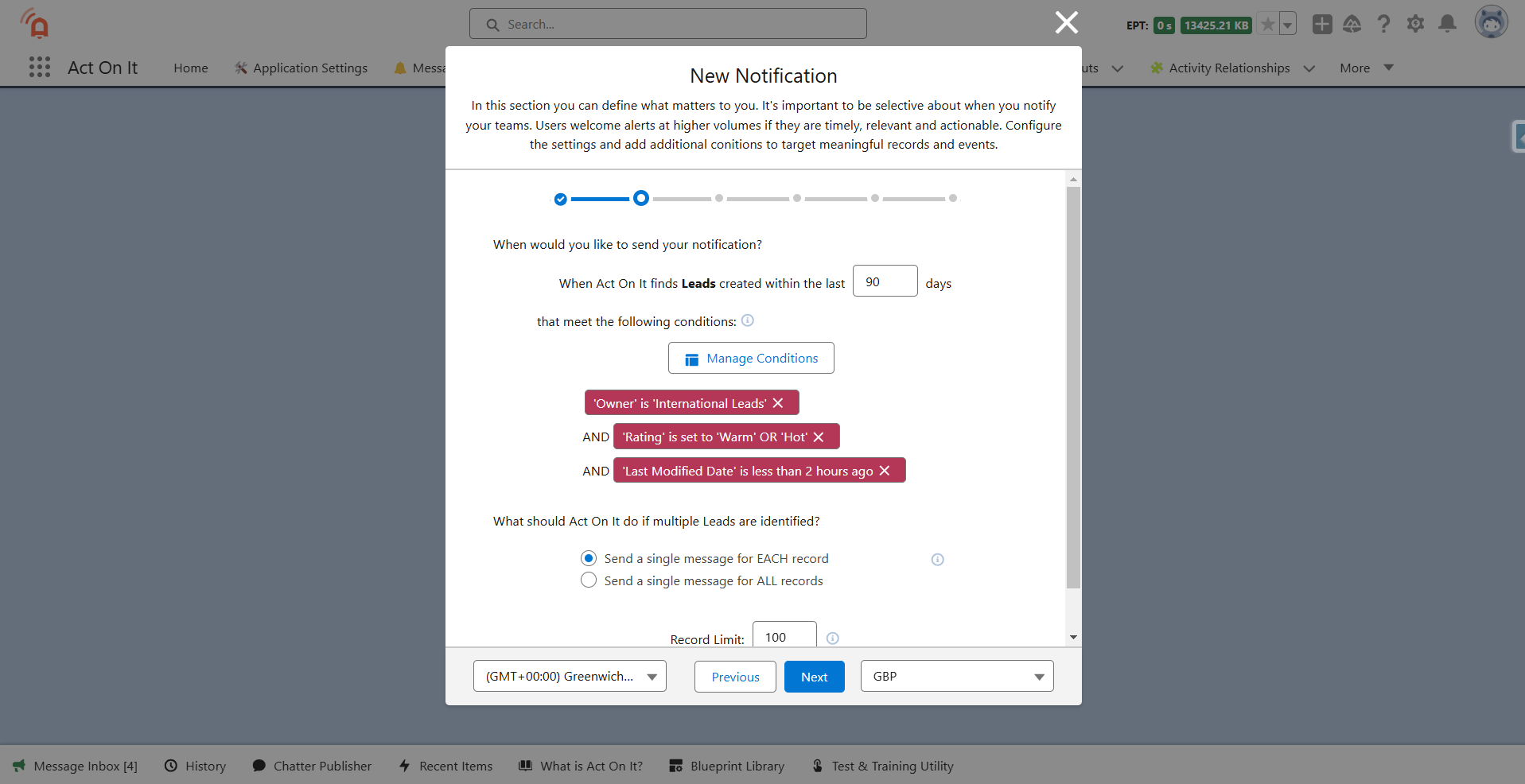
    Choose when to notify. 

    Define the events or conditions that should trigger attention, such as record changes, inactivity, or timing thresholds.

    Button
  • Slide title

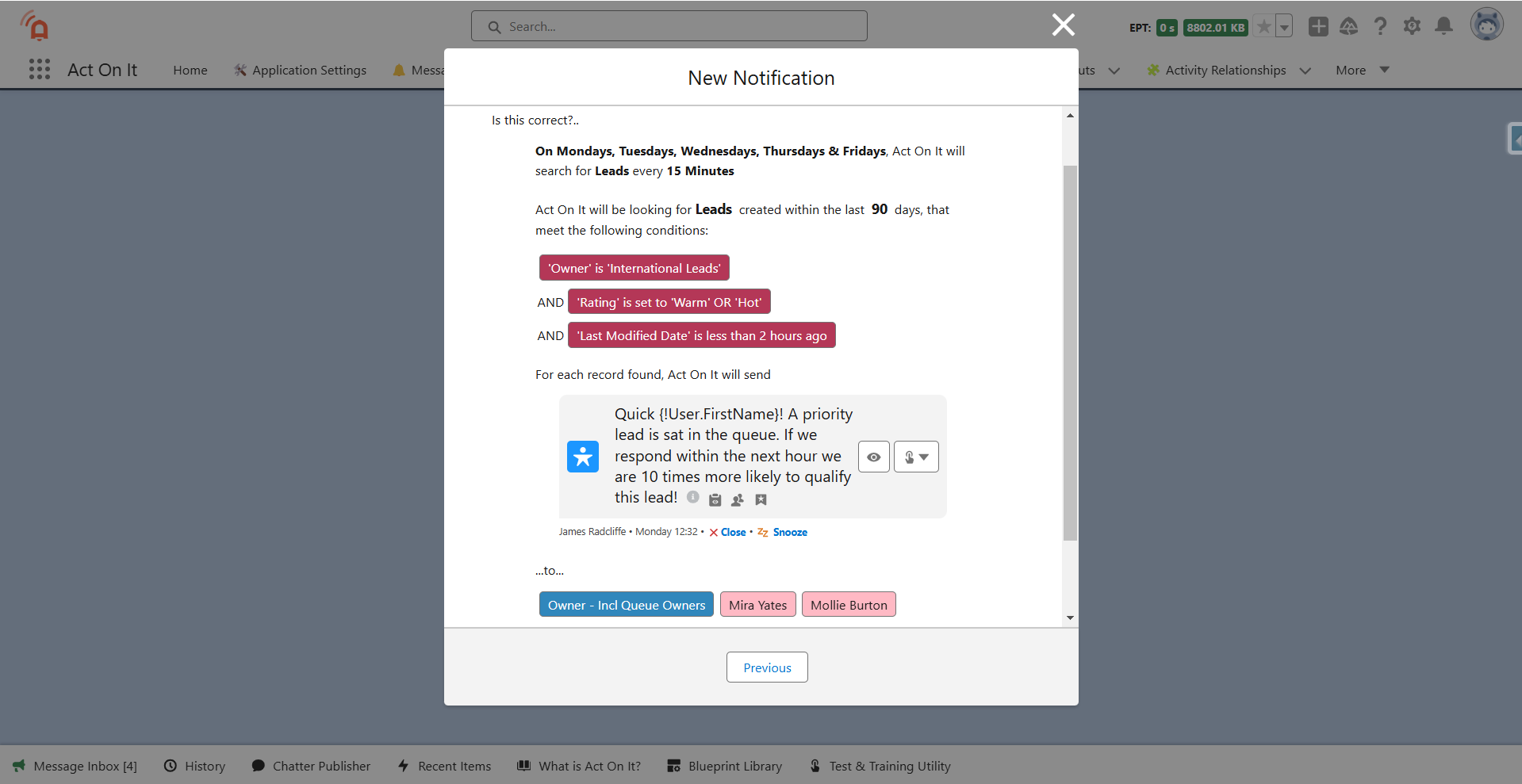
    Choose who to notify. 

    Target the right users or teams based on role, ownership, queues, or custom logic.

    Button
  • Slide title

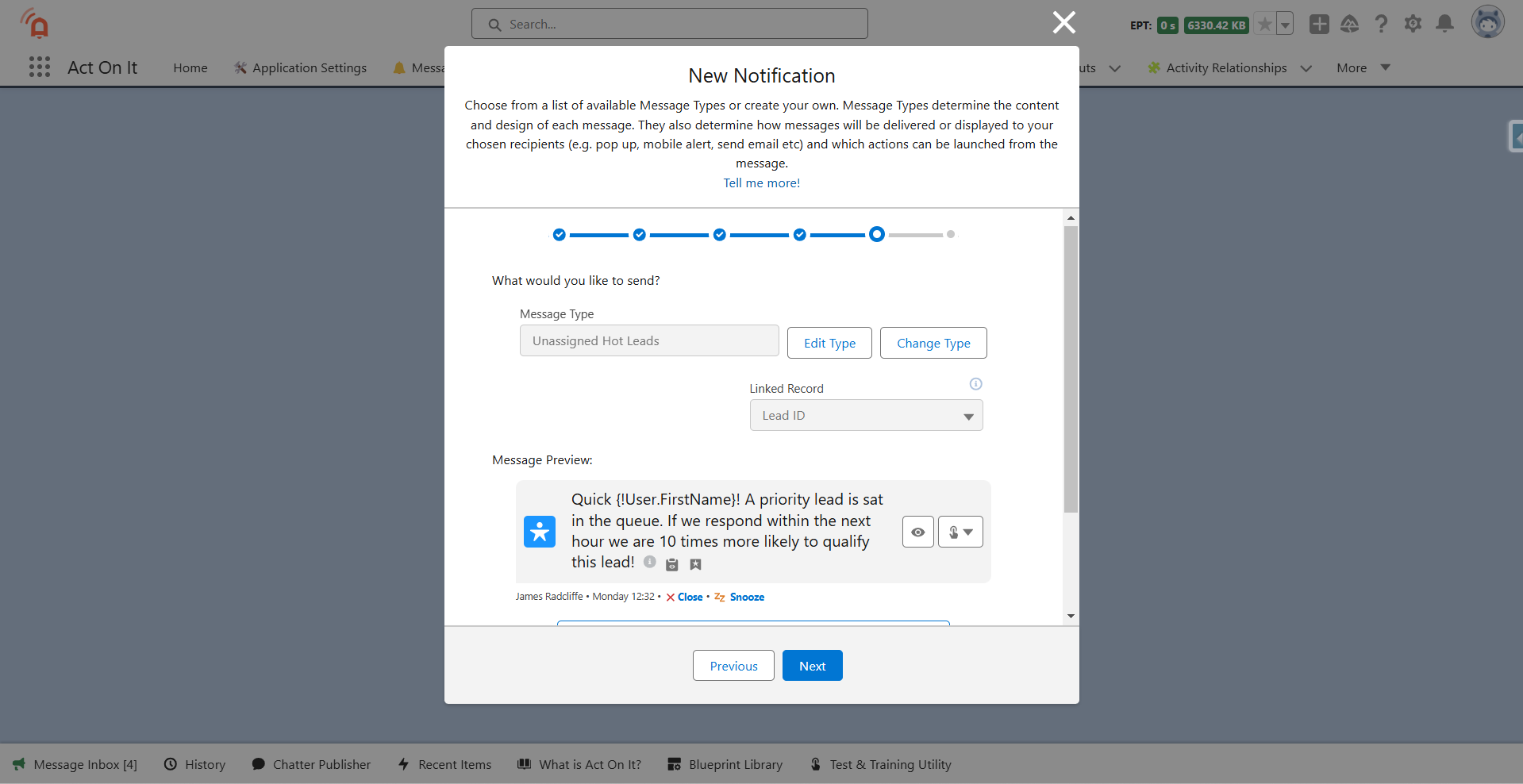
    Choose what to send and how.

    Customize the message content and delivery method so alerts are clear, relevant, and aligned with user preferences.

    Button
  • Slide title

    Let Act On It monitor Salesforce. 

    Once configured, Act On It continuously monitors in the background ...

    Button
  • Slide title

    ... and surfaces attention when conditions are met.

    Button
  • Slide title

    Enable immediate action

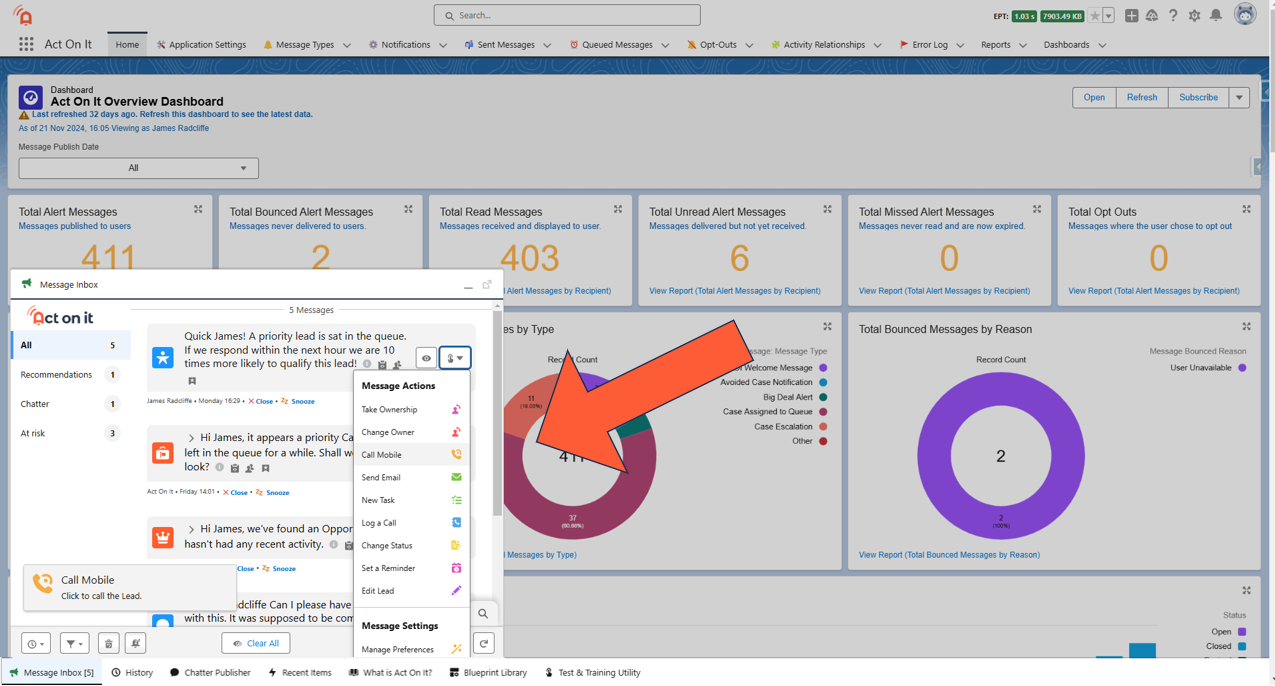
    Include one-click actions so users can respond directly from alerts without navigating away or breaking focus.

    Button
  • Slide title

    See what happened next

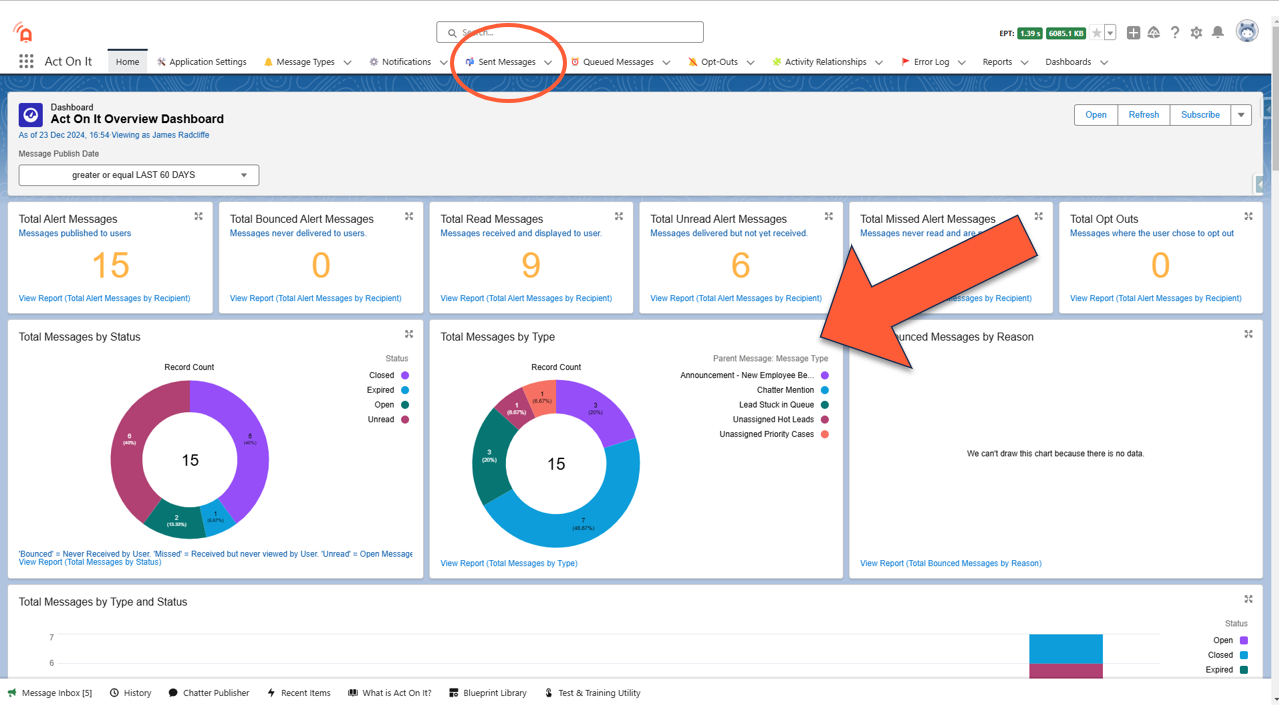
    Track sent messages and user actions to understand who was notified, how they responded, and where follow-up may be needed.

    Button
  • ...that will lead your teams to greater success!

    Slide title

    ... that will lead your teams to greater success!

    Button


Act On It focuses on two types of signals


When something happens

For example, a lead is assigned, a user is mentioned, a case is updated, or a deal changes stage.

When something should have happened

For example, a case sits idle, a follow-up is missed, or a task becomes overdue.

Choose what to monitor

Spend a few minutes selecting the Salesforce records, conditions, and timelines that matter to your team.

Surface attention when it’s needed

Act On It continuously monitors Salesforce and brings the right work into the inbox with clear messages and context.

Act immediately

Users can take action directly from alerts using tailored buttons and flows, reducing multi-step tasks to a few clicks.

Measure impact

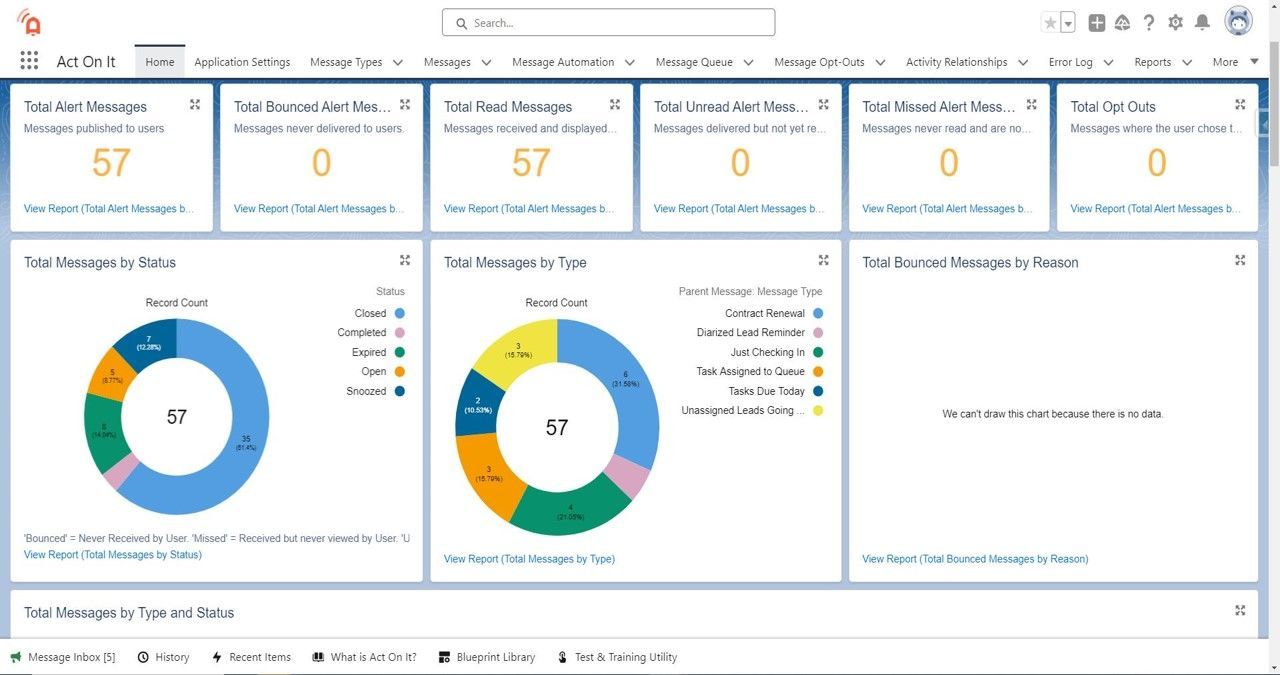
Track alert volume, delivery, engagement, and outcomes using built-in reporting to understand impact and improve processes.

What Makes Act On It Special?


Act On It addresses more than 100 ideas from the Salesforce community, improving Salesforce efficiency and usability.


We’re honored to be endorsed by Salesforce Ben as one of the top FREE apps on the AppExchange for 2024:

🔗 Salesforce Ben - 9 Free Salesforce Apps You Need to Know About in 2024.


Click to learn more about some of Act On It's core features and benefits ...

  • Self-Service Automation in Minutes!

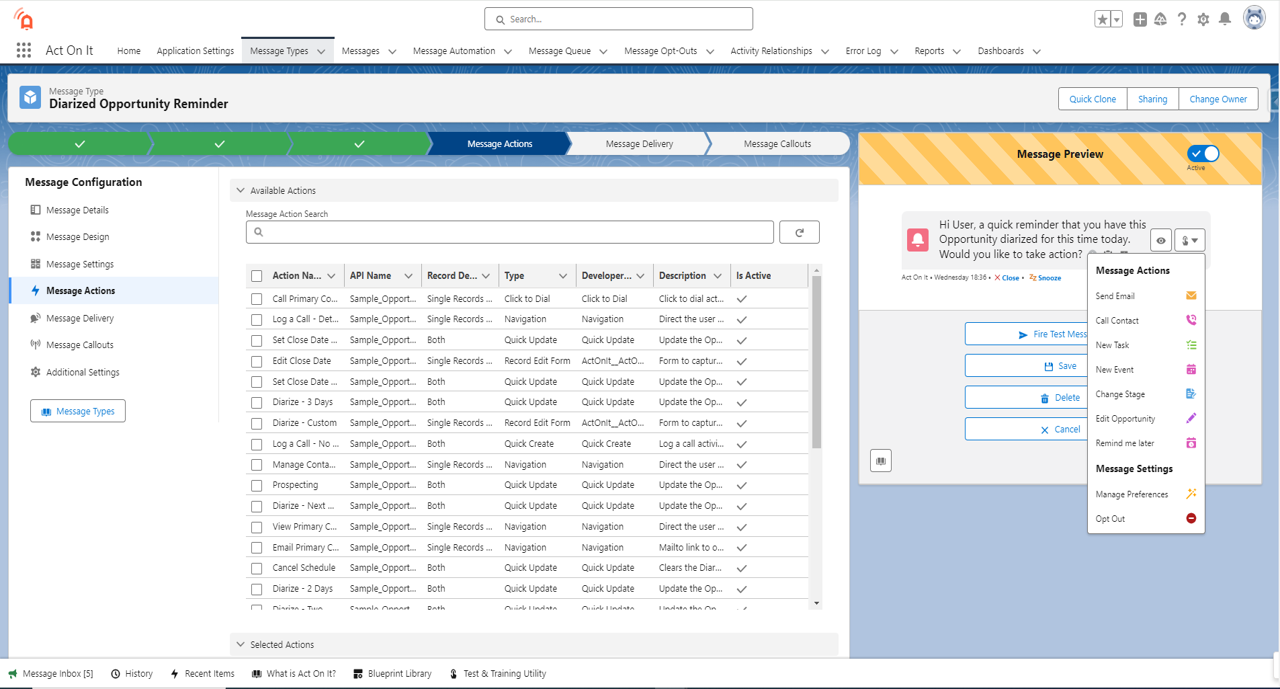
    Create alerts without waiting on development cycles. Act On It’s notification builder is simple enough for admins and trusted users to configure alerts themselves, directly in Salesforce.

    Tell me more!
  • Your All-in-One Operations Console

    See assignments, updates, reminders, follow-ups, and requests for help in one place. Filter, review context, and act without switching between tabs or lists.

    Tell me more!
  • Never miss what matters!

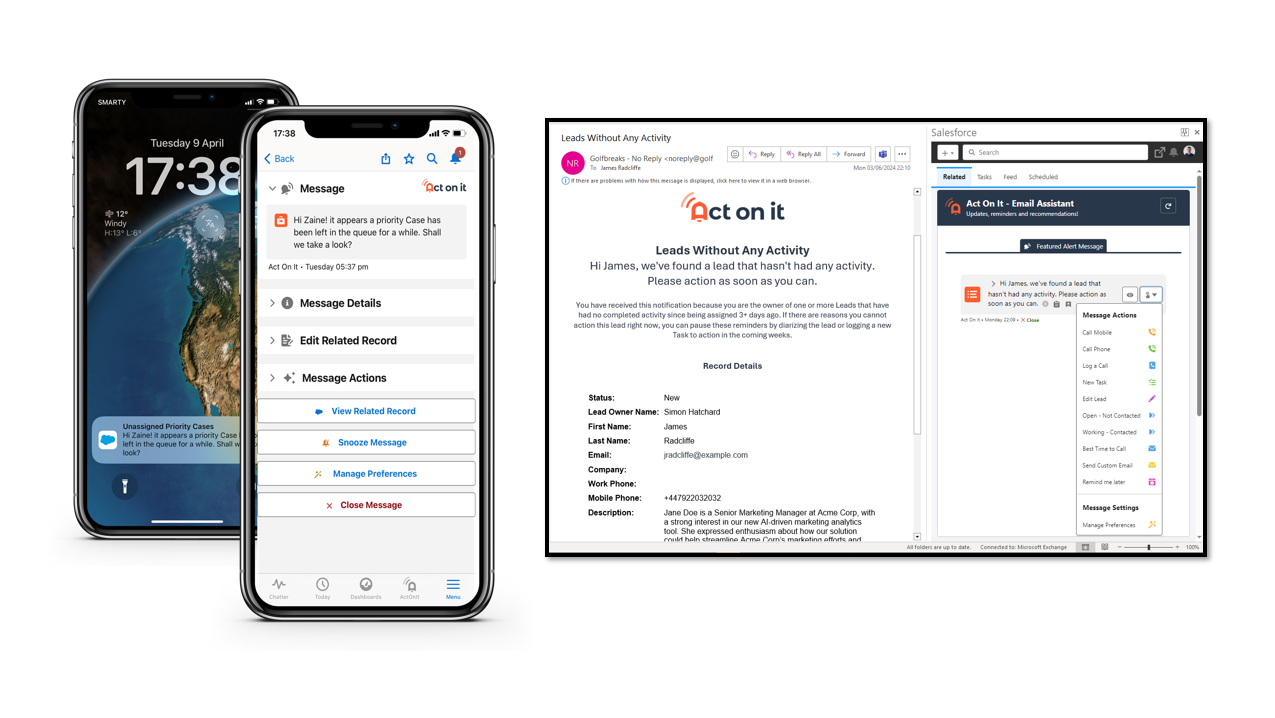
    Stay connected anywhere and take instant action, whether you're checking emails, between meetings, or on the move.


    Tell me more!
  • Transform Alerts Into Actions!

    Embed tailored automations into your alert messages, enabling users to take action with just a few clicks.

    Tell me more!
  • Report on Delivery and Impact!

    Track who was notified, how users responded, and where follow-up is still needed. Use built-in reporting to understand alert volume and outcomes.

    Button
  • Integrate Seamlessly!

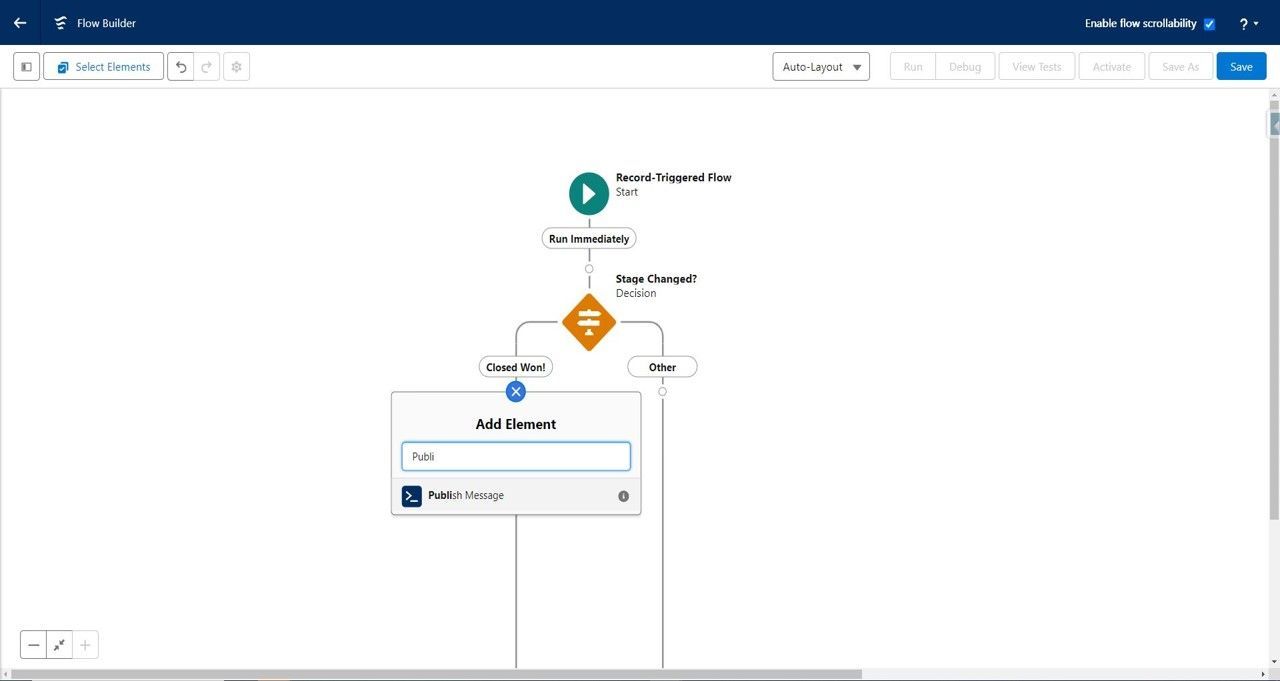
    Admins can enable Custom Objects and trigger Act On It push notifications from Flows, unlocking endless possibilities for automated alerts and actions.

    Tell me more!

With Act On It, you'll see ...

Consistency across teams

Shared patterns and configurable rules help ensure work is handled the same way, every time.

Less chasing for managers

Visibility into alerts and actions makes it easy to see what’s moving and what needs follow-up.

Higher Salesforce engagement

Clear prompts and immediate actions make Salesforce easier to use day to day, increasing adoption naturally.

Confidence nothing is missed

By covering both activity and inactivity, Act On It helps teams stay ahead of issues before they escalate.

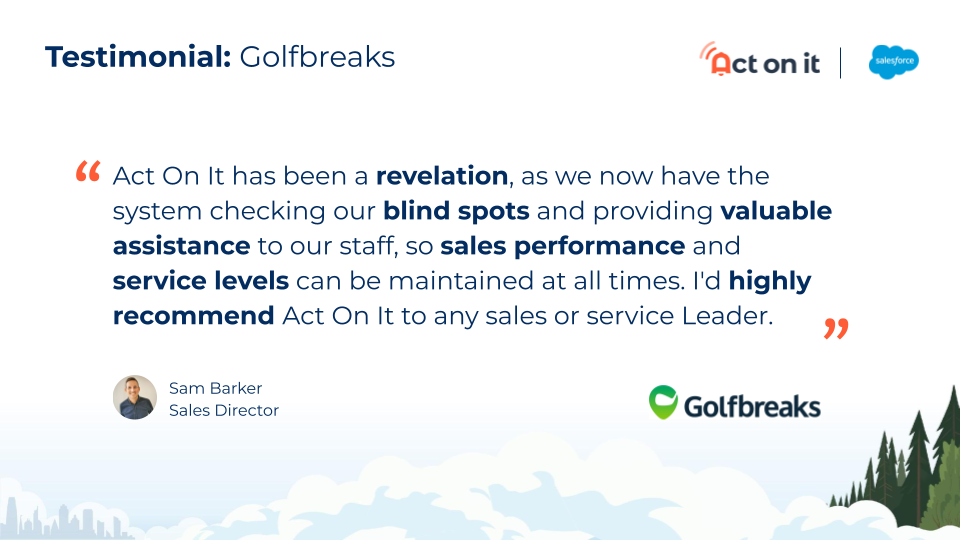
Customer reviews

See more reviews!

What's more Act On It is ...

 Simple to Setup

Quick to install and easy to setup, adding value within a day.

Low Risk

Built to work seamlessly with Salesforce and your local customizations.

Flexible

Admins and Developers can extend Act On It, opening endless possibilities.

...and Free!

Free to try and keep what you build! Freely discover whether Act On It is a good fit for your business.


Try Act On It in your own Salesforce org for free.

Get  full access to all features with no time limit or commitment.


Evaluate it at your own pace and decide when it’s right to roll out.


No sales calls. No setup projects. Friendly support when you need it.

Start empowering your teams!

Install for FREE today

Available on the Salesforce AppExchange
Take me there!
  • What makes Act On It unique?

    Most tools focus on teaching users how to navigate Salesforce. Act On It focuses on making Salesforce surface the right work at the right time.


    Instead of relying on training, reminders, or manual checks, Act On It monitors Salesforce activity and brings attention to what needs action. This makes Salesforce easier to use day to day and helps teams stay aligned without adding process overhead.


    The result is higher adoption driven by clarity and timing, not more training.

  • How much time and effort is needed to implement Act On It?

    Act On It is designed to be quick to evaluate and easy to roll out.


    It installs directly into Salesforce and works with your existing configuration and customizations. Most teams are able to set up their first alerts within minutes and start seeing value the same day.


    There is no large implementation project required. Admins control configuration, and trusted users can manage alerts without disrupting development cycles.

  • Will Act On It obstruct or limit us in any way?

    No. Act On It is built to work with Salesforce, not around it.


    It respects Salesforce security, sharing rules, and permissions, and runs entirely within the platform. It does not replace your existing processes or custom logic.


    For teams that need more flexibility, Act On It can be extended using standard Salesforce tools such as Flow and Apex, allowing it to adapt to unique business requirements without introducing lock-in.

  • Will we be supported?

    Yes. Support is included and responsive.


    You can contact us at help@overlayapps.com, and we aim to respond within one working day. Issues are typically resolved quickly, and we work closely with customers to ensure Act On It fits their environment.


    Our goal is to help teams get value early and continue to use Act On It with confidence as they scale.

  • Is Act On It Free?

    Act On It is free to install and evaluate in your Salesforce org.


    You get full access to all features with no time limit, and anything you configure during evaluation is yours to keep. When you’re ready to roll Act On It out more broadly, commercial plans are available.


    This allows teams to assess value in their own environment before making a decision.

Have a question? We’re here to help!

Contact us, we'd love to hear from you.  Send us a message and we'll respond as soon as we can
Contact Us